What is the FreeStyle Libre Select Glucose Sensor used for?
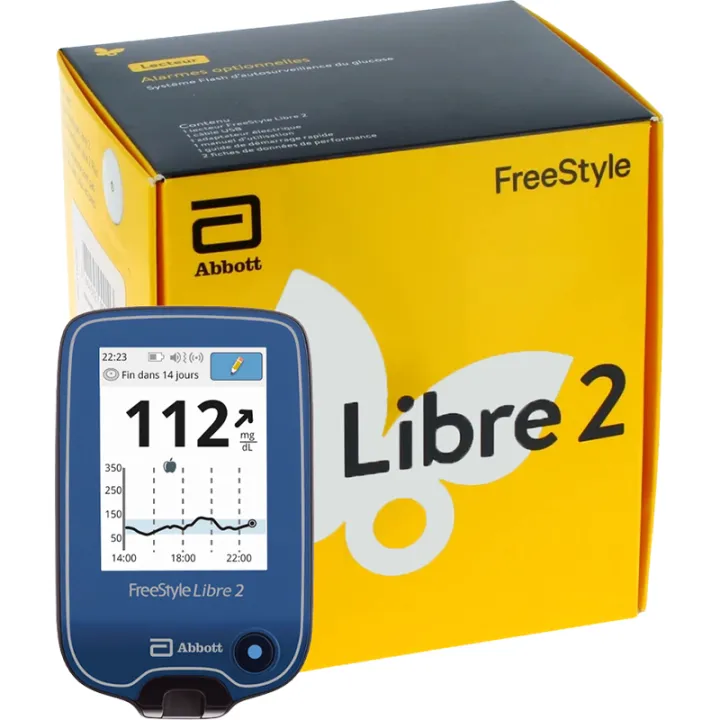
Please note that the French version of the reader displays results in mg/dL. The Abbott FreeStyle Libre Select sensor is compatible with the French FreeStyle Libre 3 meter
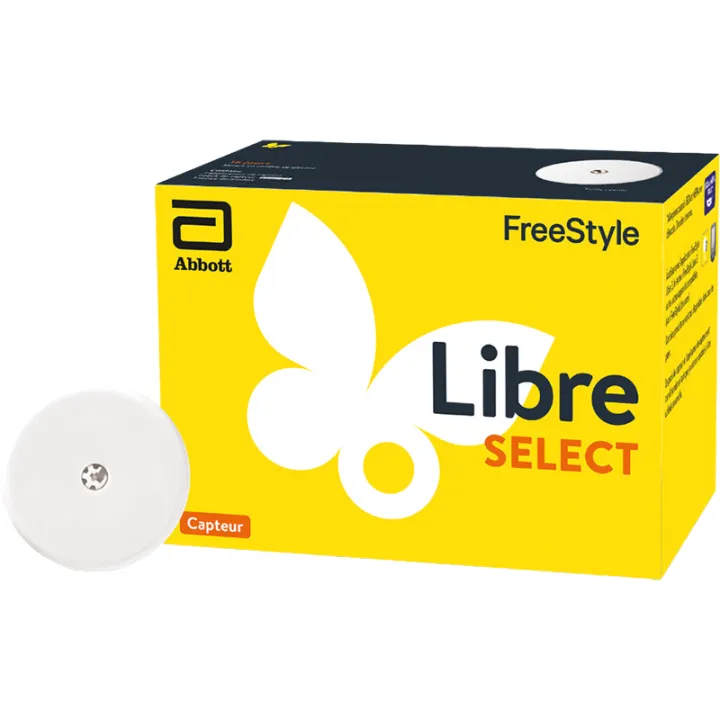
The FreeStyle Libre Select glucose sensor was designed to provide continuous glucose monitoring for everyday use. Thanks to its direct compatibility with the FreeStyle Libre 3 meter—whose French version displays readings in mg/dL—it becomes a true everyday ally for people living with type 1 or type 2 diabetes. Its extended wear time of 15 days allows for longer use, reducing the hassle of frequent replacements and allowing glucose fluctuations to be monitored. This sensor also introduces a major innovation: an expanded indication allowing use starting at age 2, thereby providing a reliable device for the pediatric management of diabetes. It is a monitoring tool in day-to-day diabetes management.
A crucial advantage of this system lies in its accuracy, measured using the MARD (Mean Absolute Relative Difference) metric. With a MARD of 8.2%, the manufacturer provides an assessment of agreement with reference values under the conditions of the study. The sensor provides automatic data transmission every minute via Bluetooth. This feature eliminates the need for frequent manual scans, allowing the user to focus on daily life while benefiting from real-time, intuitive, and effortless blood glucose monitoring. A maximum distance of 10 meters is required for the connection between the sensor and the reader or app.
The device also stands out for its internal data logging every 5 minutes—a significant improvement over previous generations, which logged data every 15 minutes. This granular data logging enables review of recorded readings, including fluctuations and hypoglycemic or hyperglycemic episodes. With a built-in memory capacity of 15 full days, users retain a comprehensive, structured, and extremely useful history for medical consultations. By comparison, the Freestyle Libre 2 Plus stored only an 8-hour history: a major difference for anyone seeking in-depth and continuous monitoring.
Another key advantage: the sensor provides a comprehensive glucose profile, including the current reading, trend, variability, and history for the past 12 hours. This detailed data makes it possible to identify blood glucose patterns, recent fluctuations, or the body’s responses to a specific treatment or meal. Suitable for children as young as 2 years old under the supervision specified in the instructions, adults, and pregnant women, this system facilitates comprehensive care, whether in a family setting or within a healthcare professional’s practice. When low and high glucose alerts are enabled and connection requirements are met, the user can receive an alert when the set thresholds are crossed.
Designed for patients on both intensive and non-intensive insulin therapy, the sensor is intended for anyone seeking reliable, accurate, and automated monitoring. Whether insulin is delivered via an external pump or a pen, the FreeStyle Libre Select provides data for diabetes monitoring according to the healthcare team’s instructions. However, it is not compatible with Abbott’s partner semi-closed-loop systems, and is not intended to control an insulin pump. This makes it a suitable option for a wide range of people, particularly those who have not yet achieved glycemic control and are looking for a simple, modern, and secure system to help them manage their condition on a daily basis.
Finally, the sensor automatically reconnects in the event of a temporary disconnection, once the reading device is back within range. Its compatibility with the FreeStyle Libre 3 app and the FreeStyle Libre 3 reader enables readings to be received when connection requirements are met. With its cutting-edge technology, expanded features, and ability to support both young children and adults, this device is an essential tool for proactive, accurate, and informed diabetes management.
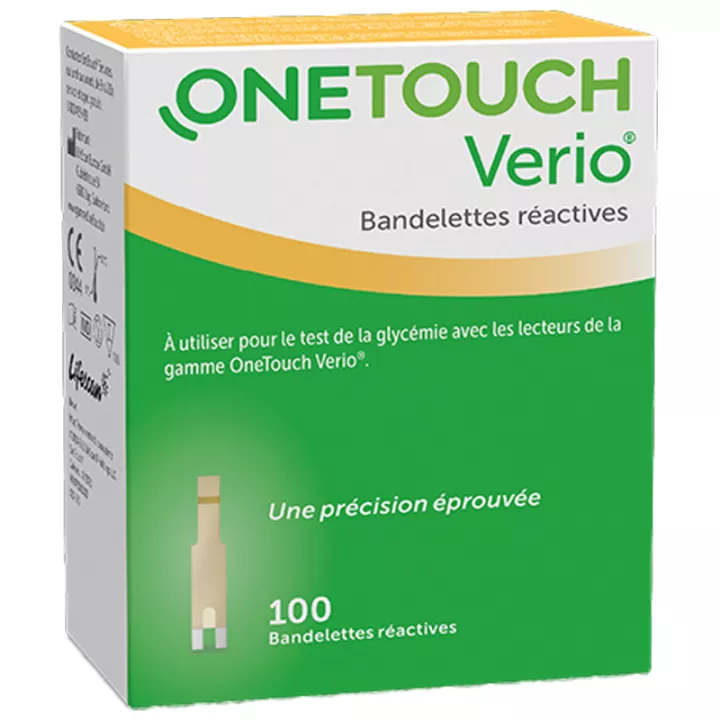
We also offer theOne Touch Verio Blood Glucose Meter in our online pharmacy.
How do you use this product?
The sensor must be applied exclusively to the back of the upper arm, on a flat area free of scars or raised skin, according to the application instructions. It is essential to choose a site located more than 2.5 cm away from the insulin injection site as specified in the manufacturer’s instructions. To help the sensor adhere, select a site different from the one used previously. Skin preparation plays a crucial role: start by washing the area with non-moisturizing, unscented soap, then rinse and dry it thoroughly before using an alcohol wipe to remove any sebum residue. Allow the skin to air-dry without rubbing.
Preparing the sensor involves several simple steps. Open the package by removing the seal, then unscrew the cap from the applicator. Carefully align the dark markings on the pack and the applicator, then press firmly against a rigid surface until it clicks fully into place. Next, remove the applicator from the pack—it is now ready for use. To apply the sensor, place the applicator over the previously cleaned area, then press firmly to apply the device. Once in place, gently remove the applicator and check that the sensor is securely attached. Dispose of the used applicator and pack according to local recycling guidelines.
Share your feedback on the usage instructions and dosage for the FreeStyle Libre Select Glucose Sensor with our partner Verified Reviews after your purchase.
Precautions for Use
- Remove the sensor before any MRI scan.
- Do not ignore symptoms suggestive of hypoglycemia or hyperglycemia.
- If you have any doubts about the accuracy of the results, perform a fingerstick test.
- Consult a healthcare professional if the readings do not match how you feel.
- Do not use on children under 2 years of age. Use in patients undergoing dialysis has not been evaluated.
- Warning: The device contains small parts that could be swallowed.
- Use with implanted medical devices such as pacemakers has not been evaluated.
- If you experience a skin reaction to the adhesive, remove the device and seek medical advice.
How do I activate the FreeStyle Libre Select sensor using the FreeStyle Libre 3 mobile app or the FreeStyle Libre 3 reader?
Activating the FreeStyle Libre Select glucose sensor is an essential step to begin continuous glucose monitoring. This can be done either through the FreeStyle Libre 3 mobile app or with the FreeStyle Libre 3 reader. Choose the device before starting: the same sensor cannot be used with both at the same time. Here is the complete procedure for each method to ensure a reliable, fast, and secure setup.
Activation with the FreeStyle Libre 3 app:
To activate the sensor using the app, start by opening the FreeStyle Libre 3 app on your smartphone. Then tap the “Scan New Sensor” button. Place the area where your phone’s NFC antenna is located against the sensor, even through clothing if necessary. Hold the phone still until you hear a beep or feel a vibration indicating that the scan is complete. Once you receive this signal, activation is complete.
The sensor then takes 60 minutes to become operational. You can exit the app during this time: you’ll automatically receive a notification when the sensor is ready to transmit its first glucose readings. This simple procedure allows for quick activation under the connection conditions specified for your smartphone.
Activation with the FreeStyle Libre 3 reader:
To activate the sensor with the dedicated reader, start by pressing the “Home” button to turn on the device, then select “Start a New Sensor.” Then place the reader directly against the sensor, with the screen touching the sensor’s surface, to start the scan. If sounds are enabled, a beep will confirm successful activation.
If the scan fails or is not detected within 15 seconds, the screen will prompt you to try again. Tap “OK,” then tap “Start a New Sensor” again to perform a second scan. As with the mobile app, you must wait 60 minutes before you can view your glucose readings.
Removing and Replacing the Sensor:
After 15 days, the meter or app will notify you that it is time to remove and replace the sensor. To remove it, simply grasp the edge of the adhesive and gently pull to peel the device off your skin. Once removed, the sensor and its applicator must be disposed of in accordance with local regulations.
Overview
The kit includes a sensor pack for 15 days of use, an applicator that requires preparation, and a complete user guide.
Expert Tips and Advice
As part of a holistic approach to well-being, blood glucose monitoring can be supported by natural habits that complement the use of the sensor. A diet rich in soluble fiber—found in oats, legumes, and chia seeds—helps smooth out blood sugar fluctuations. Hydration also plays an essential role: drinking water regularly helps the body stabilize its metabolic functions. Finally, engaging in gentle but regular physical activity, such as walking or yoga, improves insulin sensitivity and forms part of diabetes care. The sensor then becomes a valuable guide for better understanding the body’s responses and adjusting these natural practices on a daily basis.